Server Management
Learn how to create, configure, and manage your Hytale servers.
Overview
The Server Management feature provides comprehensive tools for creating, configuring, and controlling your Hytale game servers.
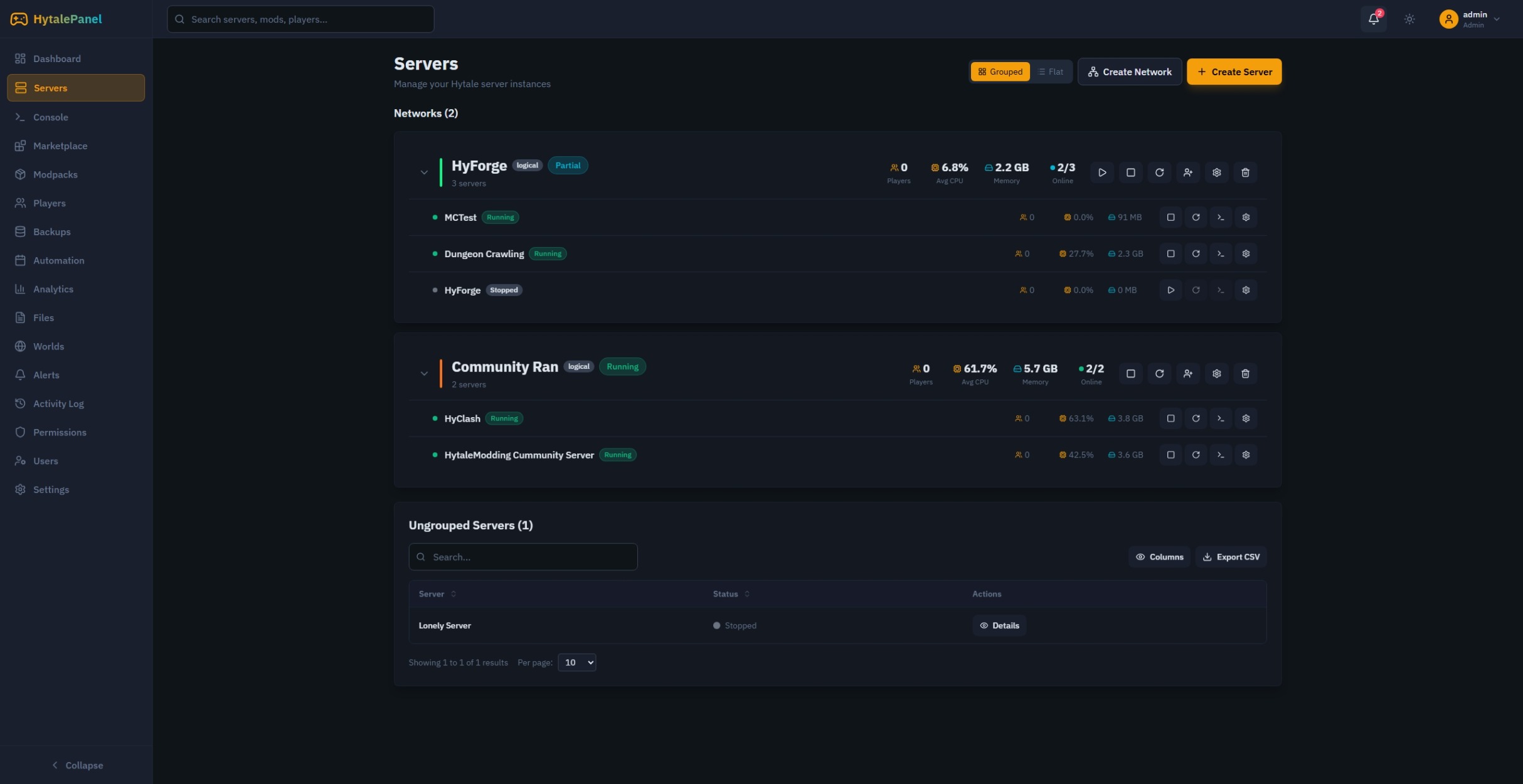
Creating Servers
Basic Server Creation
- Navigate to Servers in the sidebar
- Click Create Server
- Fill in the required fields:
- Server name
- Port number
- Max players
- Click Create
Server Networks
Group related servers into networks for easier management:
- Click Create Network
- Name your network -> Click Next
- Select servers to add to the network
Server Controls
Basic Actions
- Start: Begin server process
- Stop: Gracefully stop the server
- Restart: Stop and start in sequence
- Details: Open server details
Console Access
Access the live console to:
- View real-time server output
- Execute commands
- Download log history
- Filter by log level
Server Settings
General Settings
- Server Name
- Max Players
- Message of the day (If possible in hytale, idk yet)
- Difficulty
- Game Mode
- Quick settings
Storage
- Server Directory
- Backup Storage Type
- Local Directory (On the same hardware server)
- FTP (Remote, supports SFTP as well)
- Backup path
- Backup Exclusions
Network Settings
- Server IP
- Server Port
Advanced Settings
- JVM Arguments
Monitoring
Real-time Metrics
The dashboard displays live metrics:
- CPU Usage: Current processor utilization
- Memory Usage: RAM consumption
- TPS: Server ticks per second
- Player Count: Current online players
Health Indicators
Color-coded status indicators:
- 🟢 Green: Healthy
- 🟡 Yellow: Warning (high resource usage)
- 🔴 Red: Critical or offline
Best Practices
- Regular Backups: Enable automated backups before making changes
- Resource Monitoring: Set up alerts for high CPU/memory usage
- Graceful Shutdowns: Always use Stop instead of Kill when possible
- Network Organization: Group related servers for easier management